
SyncAirShopify app for Airtable
Sync your Shopify store to Airtable
Send products, orders, customers and metafields from Shopify to Airtable. Copy the records you already have, and on paid plans new ones follow as they’re created.
Free plan available
Your store’s data, in your Airtable base
Copy the records you already have, keep new ones coming, and see every sync run.
Products, orders and customers
Send the records you run your store on from Shopify to Airtable.
Real-time updates
Once Airtable is connected, new products, orders and customers are sent to Airtable as they’re created in Shopify.
Copy your existing data
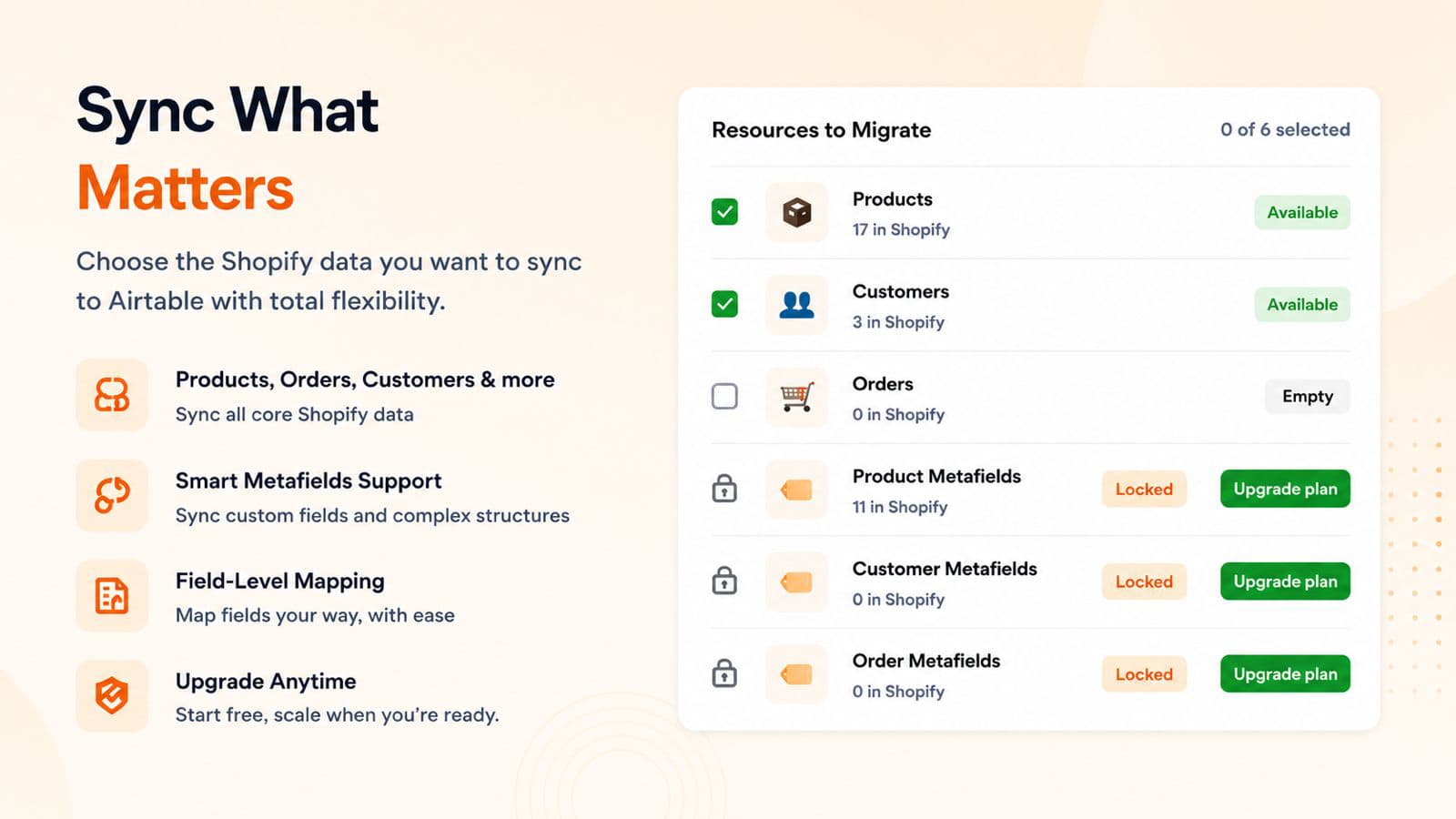
Copy the products, customers and orders already in your store to Airtable from the Data Migration page.
Metafields
Send the custom data in your metafields to Airtable, with the product, customer or order it belongs to.
Automatic table creation
SyncAir creates the tables it needs in your Airtable base, so you don’t have to set them up first.
Sync history
See when each sync ran, how many records it sent, how long it took and its status.
From install to first sync
Step 1: Install SyncAir
Add the app to your store from the Shopify App Store.
Step 2: Connect Airtable
Sign in to Airtable and give SyncAir access to the base you want to sync to.
Step 3: Choose your data
Pick what to copy: products, customers, orders or their metafields.
Step 4: Run your first sync
Copy your existing records to Airtable. On paid plans, new ones follow automatically.
Plans by monthly sync volume
Start on the Free plan, or try any paid plan free for 14 days. Paid plans are billed through Shopify.
Free
50 products, 50 orders and 50 customers per month
- Manual sync of products, orders and customers
- Email support
Starter
per month
1,500 products, 3,000 orders and 2,000 customers per month
- Real-time Shopify to Airtable sync
- Automatic table creation
- Bulk operations
- Product metafields
- Live chat and email support
14‑day free trial
Install on ShopifyPremium
per month
3,000 products, 10,000 orders and 5,000 customers per month
- Everything in Starter
- Customer and order metafields
14‑day free trial
Install on ShopifyEnterprise
per month
Unlimited products, orders and customers
- Everything in Premium
- 24/7 priority support
14‑day free trial
Install on Shopify
All charges are billed in USD. Recurring and usage-based charges are billed every 30 days.
Frequently asked questions
What does SyncAir send to Airtable?
Products with their variants, SKUs, prices and images, orders with the customer, total and status, and customers with their contact details and addresses. Starter adds product metafields, and Premium adds customer and order metafields.
Does SyncAir sync in real time?
Yes, on Starter and higher plans. Once Airtable is connected, new products, orders and customers are sent to Airtable as they’re created in Shopify, and changes to products and customers follow.
Can I sync the data I already have?
Yes. From the Data Migration page, SyncAir copies your existing products, customers and orders to Airtable, one resource at a time. Orders from the last 60 days are included.
Do I need to create tables in Airtable first?
No. On Starter and higher plans, SyncAir creates the tables it needs in your Airtable base.
Does SyncAir change anything in my Shopify store?
No. SyncAir reads your store’s data and writes it to Airtable. It doesn’t change your products, orders or customers.
Is there a free plan?
Yes. The Free plan includes 50 products, 50 orders and 50 customers a month. Starter, Premium and Enterprise each include a 14‑day free trial.
How is SyncAir billed?
Through your Shopify bill, in USD. Recurring and usage-based charges are billed every 30 days.
What support is included?
The Free plan includes email support. Paid plans add live chat, and Enterprise also includes 24/7 priority support.
What happens to my data if I uninstall?
Syncing stops when you uninstall, and the records already in Airtable stay in your base. Our privacy policy explains what we keep and how to have it deleted.
Start syncing Shopify with Airtable
Install SyncAir from the Shopify App Store. Start on the Free plan, or try any paid plan free for 14 days.