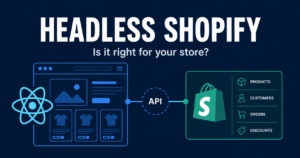
Shopify Hydrogen + Oxygen: Developer Guide 2026

shopify hydrogen 2026

shares

Introduction

Hydrogen has matured into a serious production framework for Shopify headless builds. In the early days, many developers preferred Next.js because it was familiar and flexible. Today, Hydrogen is a stronger choice when Shopify is the center of the commerce stack and the team wants Shopify-specific primitives, routing patterns, cart utilities, Storefront API helpers, and native deployment through Oxygen.

For developers, the decision is not simply whether Hydrogen can build a storefront. It can. The real decision is whether the project should be Shopify-native or more broadly composable. If products, cart, checkout, markets, and customer accounts live mainly in Shopify, Hydrogen can reduce friction. If Shopify is only one system in a larger content or platform architecture, a more general framework may be better.

In 2026, the Hydrogen conversation also includes AI commerce. Stores need to be readable by customers, search engines, and AI agents. That means structured product data, fast server rendering, clean schema, and reliable catalog access are part of the technical plan.

What is Shopify Hydrogen?

Shopify Hydrogen is a React-based framework for building custom Shopify storefronts. It provides ecommerce-specific components, Storefront API utilities, cart patterns, data loading conventions, and server-rendered routing so developers can build a headless frontend while Shopify continues to manage commerce operations.

Hydrogen is useful because it starts from Shopify assumptions. A generic React framework gives you routing and rendering, but it does not know how Shopify product variants, carts, selling plans, markets, or checkout URLs should behave. Hydrogen helps developers avoid rebuilding common Shopify commerce patterns from scratch.

A Hydrogen storefront usually uses route modules. A loader fetches data on the server, often from the Storefront API. A React component renders the page. Client-side JavaScript is used where interactivity is needed, but the main content can be rendered server-side for speed and SEO.

What is Shopify Oxygen?

Oxygen is Shopify’s deployment platform for Hydrogen storefronts. It gives developers a managed way to deploy Shopify headless storefronts without configuring a separate hosting layer, server infrastructure, or edge runtime from scratch.

The point of Oxygen is operational simplicity. If you build a custom storefront but host it poorly, the customer still gets a slow experience. Oxygen is designed for Hydrogen and helps teams ship server-rendered storefronts closer to customers.

Hydrogen can also be deployed on other platforms, such as Vercel, Netlify, Cloudflare, or custom infrastructure. That can make sense if the team already has a standard deployment environment or if the frontend includes many non-Shopify services. But for a Shopify-centered build, Oxygen keeps the stack clean.

What changed in Hydrogen in 2026?

The biggest change is maturity. Hydrogen is no longer something teams evaluate only for experiments. It now fits modern React Router patterns, has stronger examples, and is easier to justify for brands that genuinely need a custom storefront.

For developers, that means the build should be planned around route-level data loading, caching, server rendering, customer account flows, structured product data, and clean deployment. Hydrogen should not be treated like a generic single-page app. If everything is pushed to the client, the store loses many of the benefits headless was supposed to create.

2026 update: Modern Hydrogen projects should be planned for React Router conventions, Storefront API discipline, edge rendering, schema markup, and AI-readable catalog experiences.

How Hydrogen works

A simple Hydrogen route has two major jobs: load data and render UI. The loader requests product, collection, cart, or content data. The component uses that data to render the customer-facing experience.

Example product loader:

export async function loader({params, context}) {
  const handle = params.handle;

  const {product} = await context.storefront.query(PRODUCT_QUERY, {
    variables: {handle}
  });

  if (!product) {
    throw new Response('Product not found', {status: 404});
  }

  return {product};
}

const PRODUCT_QUERY = `#graphql
  query Product($handle: String!) {
    product(handle: $handle) {
      title
      handle
      descriptionHtml
      featuredImage { url altText width height }
      variants(first: 50) {
        nodes {
          id
          title
          availableForSale
          price { amount currencyCode }
        }
      }
    }
  }
`;

A real build would add selected options, variant matching, selling plans, SEO fields, breadcrumbs, related products, JSON-LD, analytics, and error states. But the foundation remains simple: fetch clean Shopify data, render it quickly, and keep the frontend maintainable.

Hydrogen vs Next.js vs Liquid

OptionBest forTeam requirementTime to shipAI readiness
Hydrogen + OxygenShopify-native headless buildsReact and Shopify API knowledgeMediumHigh
Next.js + ShopifyBroader composable platformsSenior full-stack React teamMedium to slowHigh
Liquid themeStandard ecommerce storesShopify theme knowledgeFastMedium
OS 2.0 premium themeSMB and mid-market storesLow technical overheadVery fastMedium

Hydrogen is strongest when Shopify is 80 percent or more of the commerce logic. Next.js is often stronger when the storefront is part of a larger web platform with complex content routing, non-Shopify services, or custom backend systems. Liquid is strongest when the brand values marketer control, speed, app compatibility, and lower maintenance.

Storefront MCP and AI commerce readiness

AI shopping assistants need structured product information. They need to understand product names, variants, prices, availability, reviews, policies, and fit. A clean Hydrogen build gives developers more control over how that information is exposed.

This does not mean every store needs headless for AI. A well-structured theme can still use schema, strong product data, and clean content. But Hydrogen gives developers a more API-first surface, which can become valuable as AI commerce standards mature.

Developers should build product pages for three audiences: customers, search engines, and AI agents. That means fast pages, accurate schema, stable URLs, clear product data, and content that directly answers buying questions.

Getting started checklist

  1. Confirm the business reason for headless.
  2. Create a Hydrogen project using Shopify’s recommended starter.
  3. Add Storefront API credentials and environment variables.
  4. Plan routes for home, collection, product, search, cart, account, and policies.
  5. Keep GraphQL queries lean and page-specific.
  6. Choose a content model: Shopify metaobjects, external CMS, or both.
  7. Add JSON-LD for products, articles, breadcrumbs, and FAQs.
  8. Deploy to Oxygen or another suitable platform.
  9. Run Lighthouse and real-user monitoring before launch.
  10. Document maintenance, release, and rollback processes.

Production planning notes

Before writing code, decide how the storefront will handle errors, redirects, preview content, analytics, cart persistence, customer accounts, search, and product availability. These details sound small during discovery, but they become launch blockers if ignored. A production Hydrogen build needs a release process, staging environment, rollback plan, monitoring, and clear ownership after launch.

Also document what marketers can change without a developer. If the answer is “almost nothing,” the project may create operational friction. Pair Hydrogen with Shopify metaobjects, a headless CMS, or a controlled component system so non-technical teams can still publish campaigns safely.

Final recommendation

Use Hydrogen when the store needs a Shopify-native custom frontend and the team has the skill to maintain it. Use Liquid when the store needs speed, simple operations, and marketer control. Use Next.js when Shopify is part of a larger composable platform rather than the center of the frontend architecture.


Is Shopify Hydrogen free?

Hydrogen is open source and free to use. The real cost is the design, development, integration, deployment, and ongoing maintenance required to run a custom storefront.


What is the difference between Hydrogen and Oxygen?

Hydrogen is the React framework used to build the storefront. Oxygen is Shopify’s managed platform for hosting Hydrogen storefronts.


Can I use Hydrogen without Oxygen?

Yes. Hydrogen can be deployed on other platforms. Oxygen is the Shopify-native choice, but it is not the only possible hosting option.


What is React Router v7 and how does it relate to Remix?

React Router v7 is the routing foundation used by modern Hydrogen apps. It carries forward many full-stack routing patterns developers previously associated with Remix.


Is Hydrogen production-ready in 2026?

Yes, for teams that understand React, Shopify APIs, performance, and ongoing frontend maintenance. It is not ideal for teams without technical ownership.

Category :

Leave a Reply

Your email address will not be published. Required fields are marked *

Invizo is a full-stack web, AI, and marketing agency dedicated to building scalable websites, custom web applications, and growth-focused digital solutions that help businesses perform, convert, and scale efficiently.

Services

Newsletter

Email

© 2026 Invizo. All Rights Reserved.